How to Move Your Favorites to Another PC in Internet Explorer 7
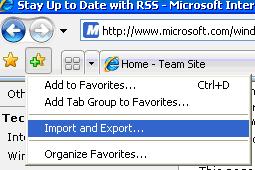
- Click the Add to Favorites icon to show the Favorites list and then click Import and Export.
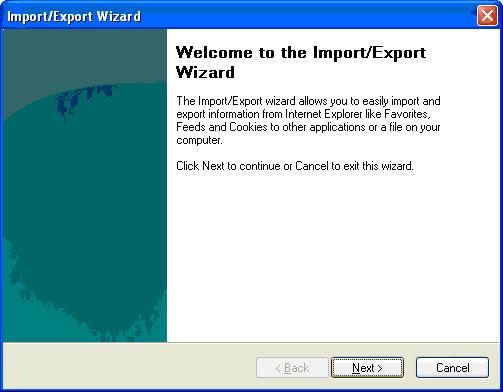
- Follow the instructions in the Import/Export Wizard.
- Copy the bookmark.htm file to a disk or flash drive.
- Insert the disk or flash drive containing the file bookmark.htm to your other computer and copy the file to that PC’s My Documents folder.
- Use IE7’s Import/Export Wizard to import the bookmarks on this other computer.

Note: By default, the Import/Export Wizard creates a standard HTML file named bookmark.htm and saves it in your My Documents folder.


The article is good and connects well. This site is useful connectively.Adenofrin in Italia.
This can be addressed using LongPathTool.
I would like to download windows vista
You can use Long Path Tool to fix this problem. Here's how it helps: Finds files/folders with too-long paths. Moves,…
Thank you. It works.